
In your Wholix account, navigate to the “Email” module on the left side of your screen.
You will see a pop up appear on you screen
Click on “Gmail”
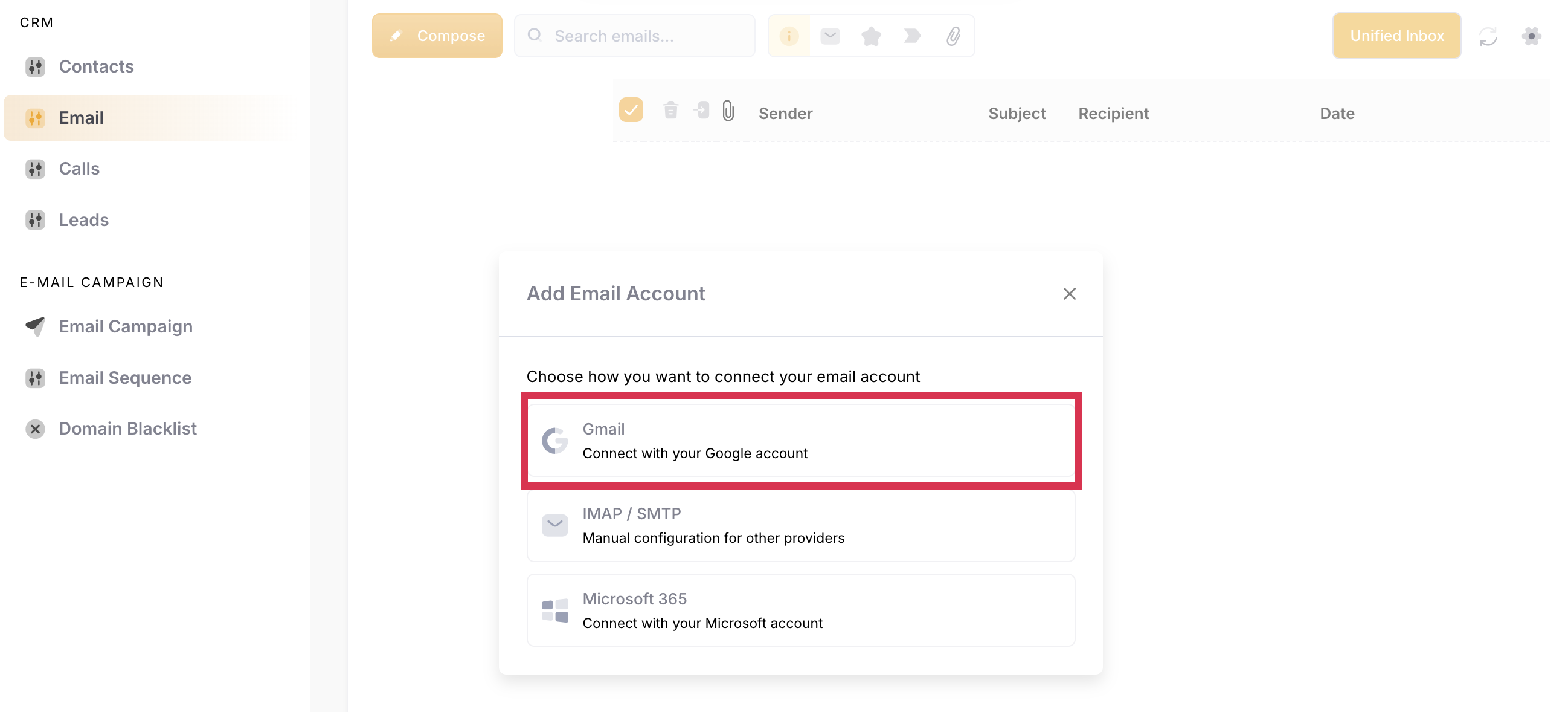
You'll be prompted to log in to your Gmail account. Enter the email address of the Google account you want to use. If you're already logged into one or more of your Gmail accounts, choose the account you want to connect.
Review the required permissions, then click Allow.
You will see that your email account has been connected successfully.
You'll be redirected back to your Wholix Account
You will see in the top right corner, your email account has been connected.
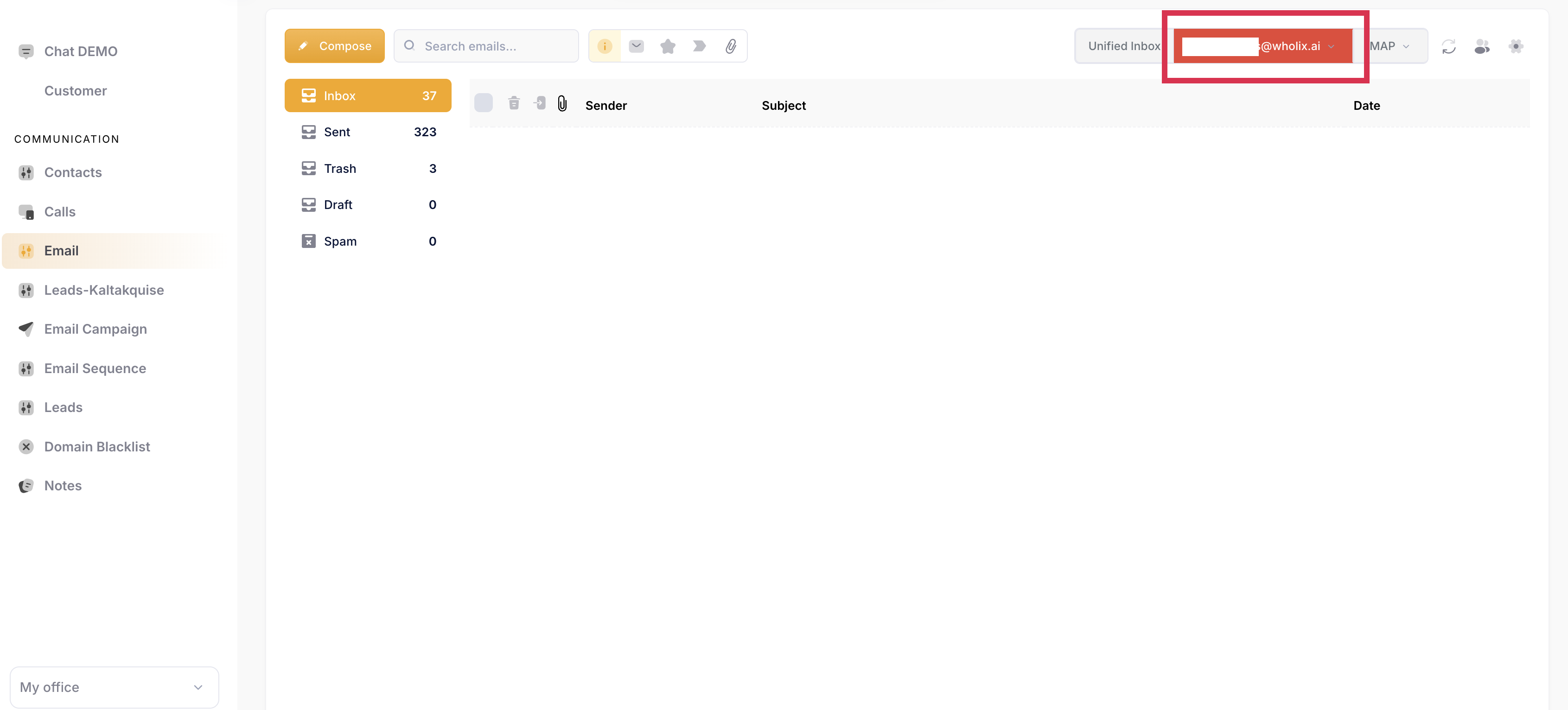
It will take a few minutes until your full email inbox is loaded and synchronized. You can refresh the page after a few minutes, and you should see your inbox.